 Tavlum
A furniture visualizer places a specific product into a photo of your own room. Unlike a full room redesign, it changes one piece and keeps the rest of the space as your reference, so you can judge color, style and proportion against what you already own.
Two images to get started
Your room photo sets the walls, floor, light and camera angle. The furniture reference, a product photo, a store screenshot or a catalog item, sets the piece that is drawn into the room. Use a sharp product image on a plain background.
What you can change
- Sofas and armchairs
- Beds
- Tables and chairs
- Lighting, curtains and cabinets
How it works
- Take a wide, straight-on photo of the room, with the spot for the new piece visible.
- Open Space, choose Furniture and the type, such as Sofa or Bed.
- Pick a catalog item or upload a photo of the product you are considering.
- Generate and compare the result with the original room.
A real Tavlum result
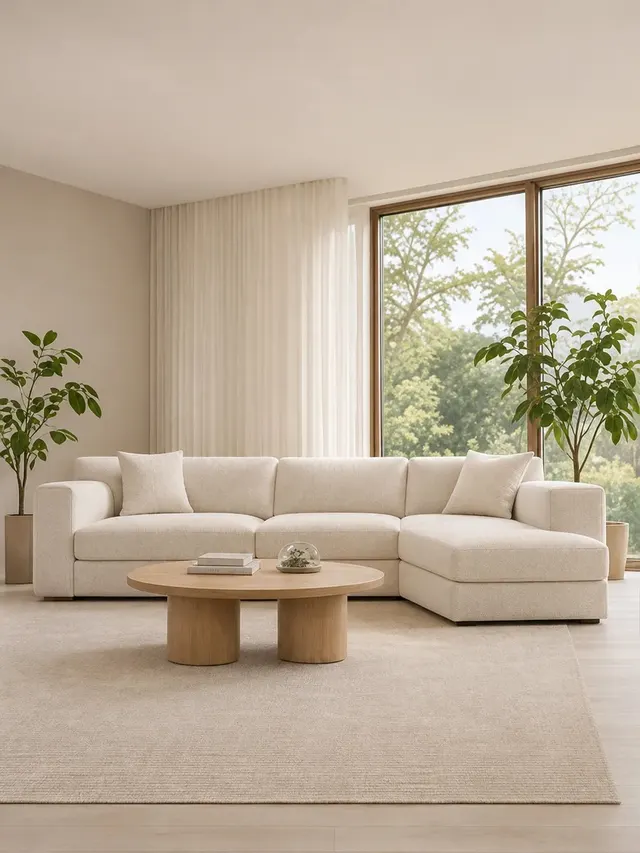
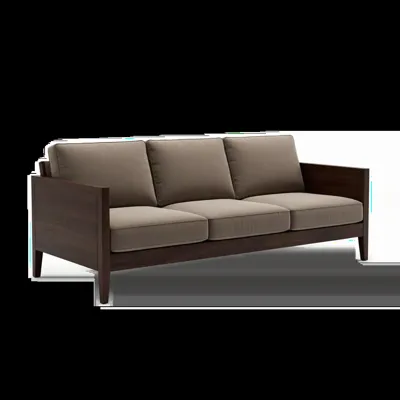
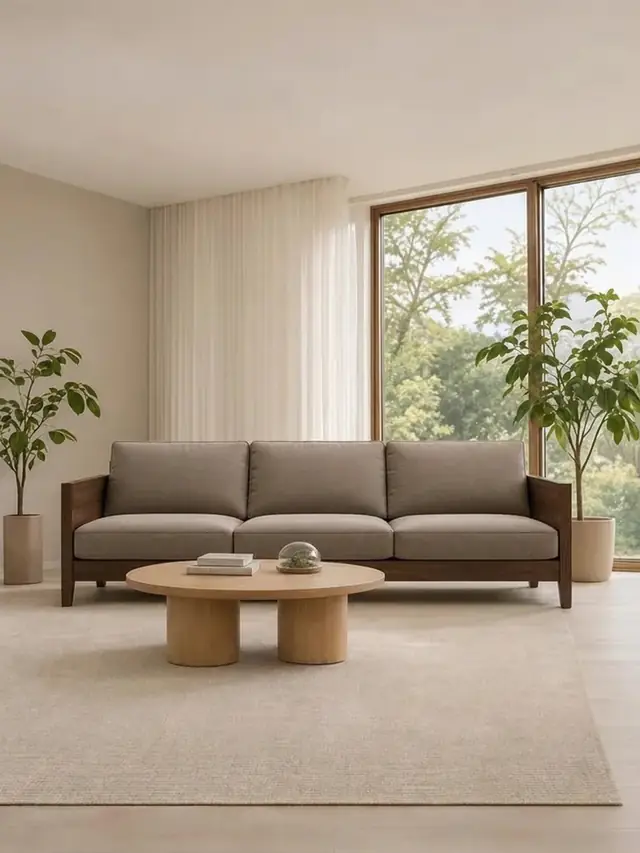
The sectional was replaced by the reference sofa, and the rug, coffee table, walls, window and plants stayed. The chaise part disappeared because the new sofa has a different shape, and its size in the room is approximate, so measure before you order.
Tips for the best result
- Photograph the room in daylight, with the area around the furniture clear.
- Use a product image taken from an angle similar to your room photo.
- Say what should stay, for example the rug, walls and lighting.
- Try two products on the same room photo to compare them fairly.
Good for
- Choosing between two sofas before ordering
- Checking a color against your floor and walls
- Seeing whether a bed style suits the room
- Showing a partner what you have in mind
Check size before you order
The preview does not use real measurements, so a piece can look larger or smaller than it is. Measure the space and compare it with the product dimensions before you buy.
What to expect
Furniture previews show appearance only. They do not guarantee scale, materials, price, stock or product details, and Tavlum does not offer AR or 3D placement.
Each standard photo generation uses 1 credit. See plans and credits.
Furniture preview guide · AI room design · Floor visualizer · View examples