Tavlum
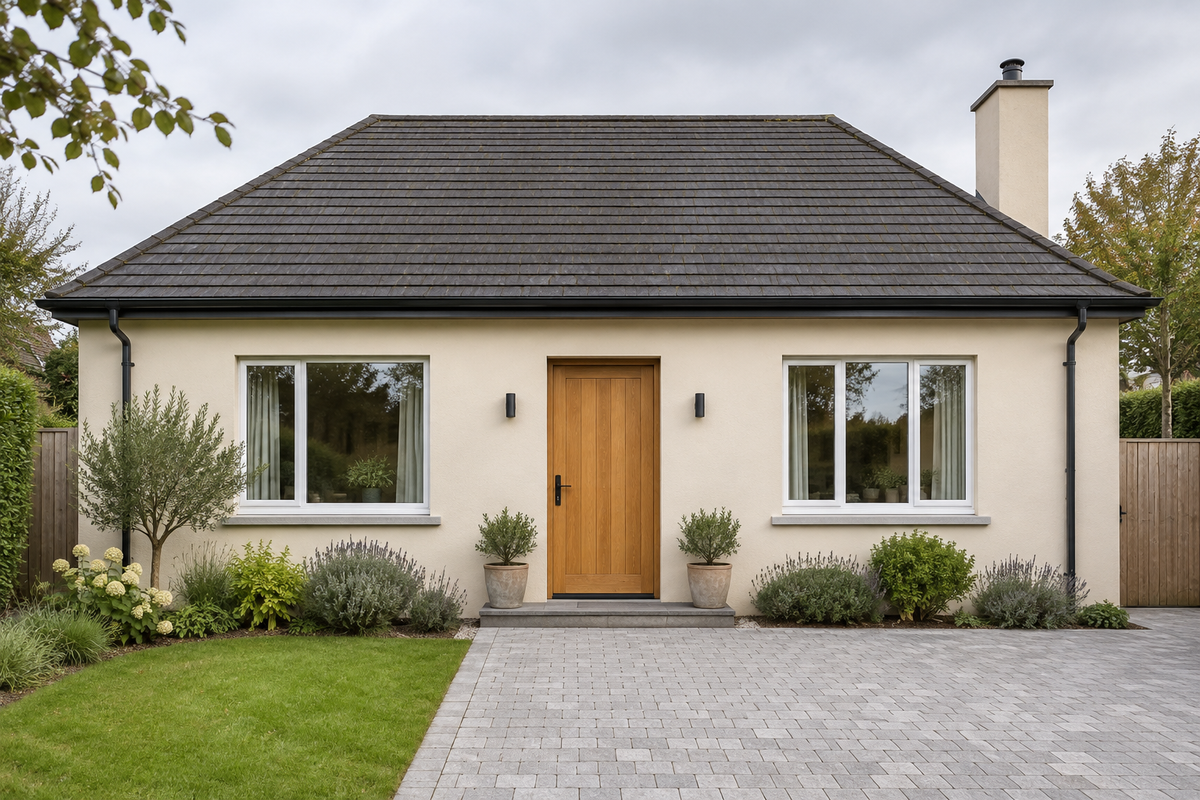
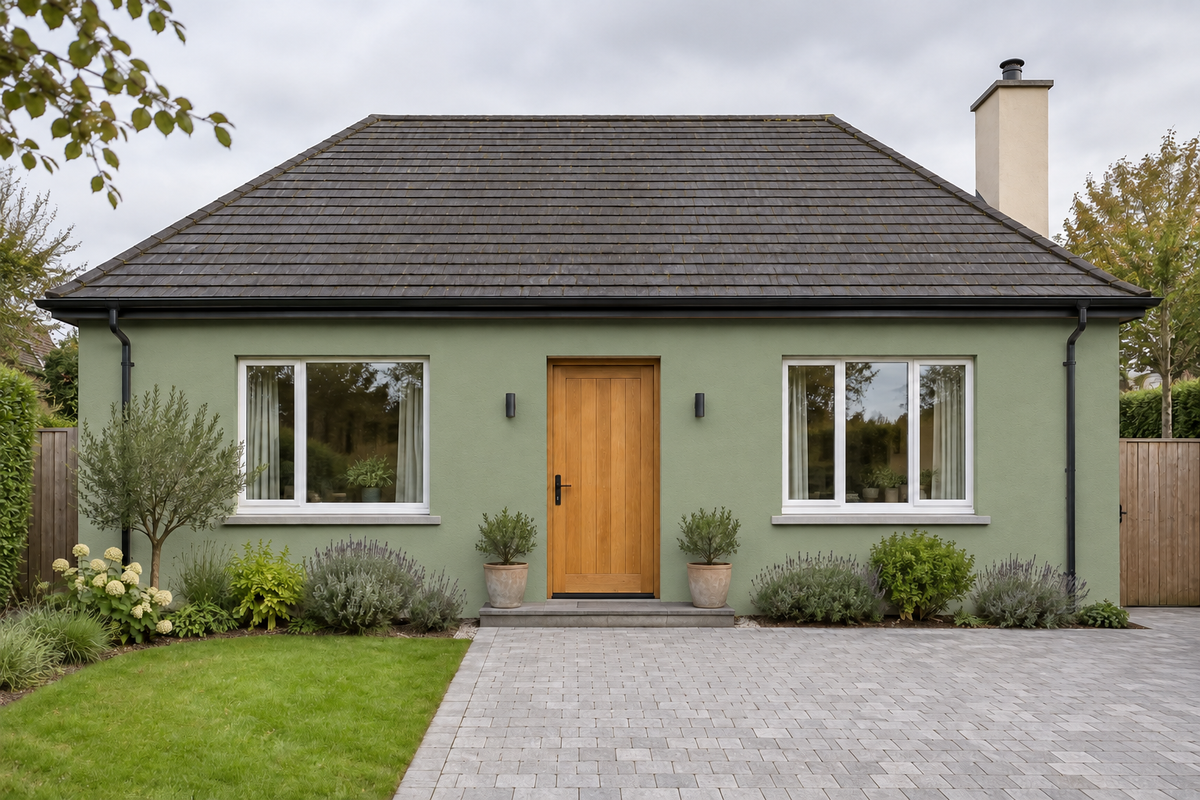
An exterior paint visualizer lets you see how a new paint color, timber siding, or patio refresh looks on a photo of your own house before you buy paint or hire a contractor. In Tavlum Space → Exterior, pick from built-in exterior color swatches or upload your own material sample and compare side by side.
What you can change
- Exterior wall paint colors: Ivory White, Charcoal Gray, Sage Green, Warm Beige, Navy, Terracotta
- Modern cedar timber siding, brick, stone, and stucco finishes
- Front yard landscaping, stone pathways, and patio lighting concepts
- Comparing several exterior color schemes from the same house photo
How it works
- Take a clear daytime photo showing the front or side of your house.
- Open Space → Exterior and tap an exterior paint swatch or upload a material reference.
- Generate the preview for 1 credit and slide to compare against your current exterior.
- Generate two or three color options from the same photo before buying sample cans.
Tips for the best result
- Photograph the house in even daylight without deep tree shadows across the walls.
- Stand back far enough to include the roof and trim so you can judge color harmony.
- Test your top two colors with physical paint samples on an outdoor wall before painting.
- Change one element at a time—walls first, then landscaping or patio.
Good for
- Choosing between light and dark exterior paint schemes
- Previewing modern timber or stone siding on an existing house
- Exploring front yard and patio curb-appeal ideas
- Sharing a visual concept with a partner, HOA, or painting contractor
What to expect
Outdoor sunlight and screen settings shift how paint colors appear. Always test a physical paint sample on your exterior wall in daylight before ordering paint.
Each standard photo generation uses 1 credit. See plans and credits.
AI room & interior design · Wall color guide · Floor visualizer · View examples