 Tavlum
Why preview it first
A sofa is usually the biggest piece of furniture in a living room, so its colour and fabric set the mood of the whole space. Fabric swatches are small, and it is hard to imagine a deep green or a bright rust across a large sofa.
Seeing a few fabrics on your own sofa in your own room helps you choose before you order swatches.
Tavlum changes only what you describe and is meant to leave the rest of the photo as it was, so the comparison shows the change rather than a different photo.
What we tested
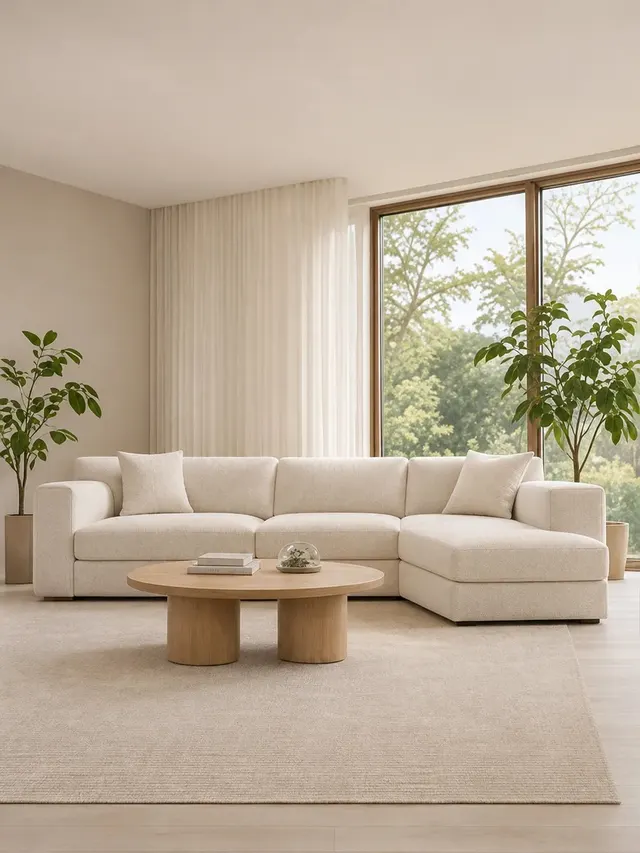
We ran three prompts on a photo of a real room on 27 Nov 2026, using Tavlum's Free Edit with a short text description and no reference image. Each run used 1 credit.
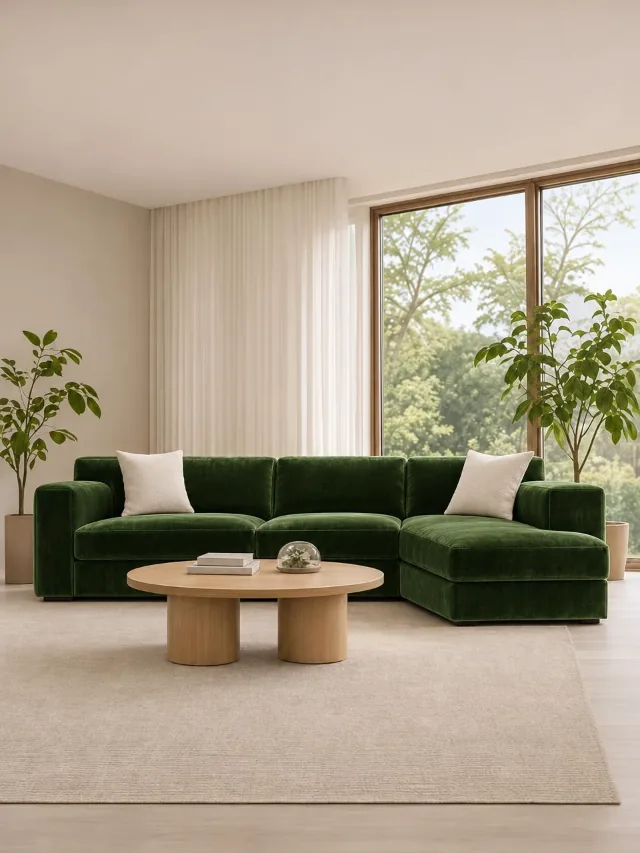
- Green velvet: deep green velvet upholstery.
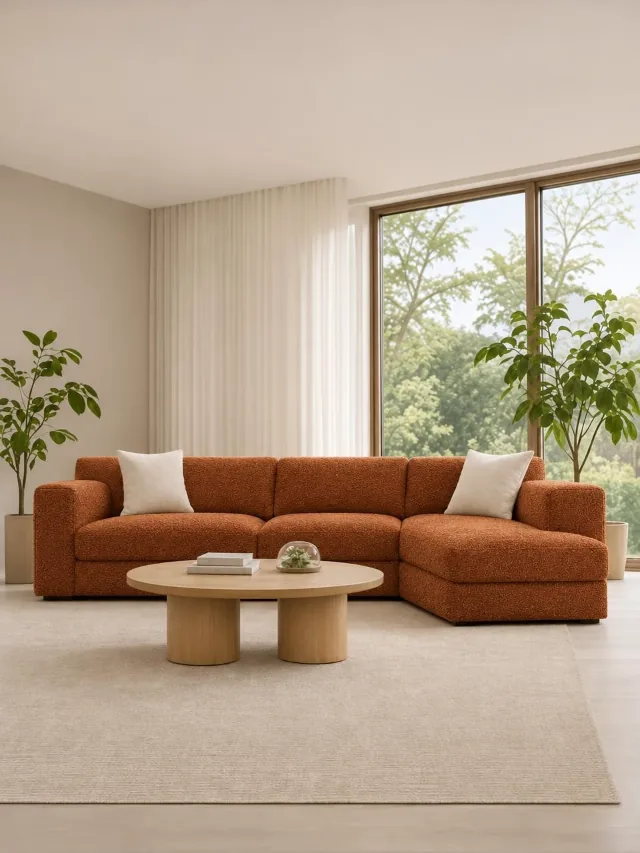
- Rust boucle: rust orange boucle upholstery.
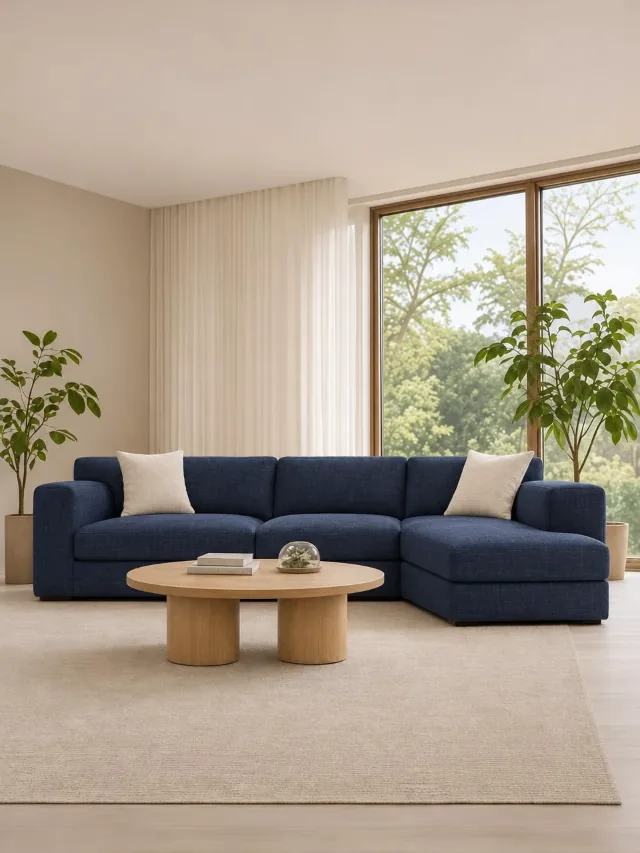
- Navy linen: navy blue linen upholstery.
In all three results the parts we asked to keep stayed close to the original photo. The sofa kept its shape, cushions and size, and the coffee table, rug, window and plants stayed in place. Green velvet looked rich, rust boucle warm and textured, and navy linen calm and classic. Fabric texture is drawn by the AI, so feel real swatches before choosing. Each result above sits next to its original photo, so you can compare the details for yourself before trying your own.
How to do it with your own photo
- Take a straight-on photo of the room. Stand back far enough to fit the whole area you want to change, and shoot in daylight with the lights you normally use switched on.
- Describe the change. Name the colour and fabric and say the shape stays the same, for example "change the sofa upholstery to deep green velvet, keep the sofa shape and cushions".
- Say what must stay the same. Naming the furniture, floor, window and walls you want to keep helps the result change only what you asked for.
- Generate and compare. Drag the slider over the result to see exactly what changed. Change one thing at a time so you can see the effect of each choice.
- Narrow it down to real samples. Use your favourite preview to pick two or three real samples, swatches or products to check in the room before you buy.
Getting a realistic result
- Use natural daylight. Strong yellow or blue artificial light shifts how colours look in the result.
- Shoot straight on. A steep angle makes surfaces and patterns look uneven.
- Tidy the area first. Fewer objects in front of what you are changing means cleaner edges.
- Keep reflections low. Glare from windows on shiny surfaces can turn into patches.
- Repeat the run. Two runs with the same description can differ a little, so generate again if one detail looks off.
Planning the change
Start with the biggest surface you want to change, such as the walls, floor or sofa, and keep the rest of the room the same. Once you like that result, save it and use it as the starting point for the next change, so you can build up a whole new look one step at a time.
Keep the light in mind. A room photographed on a bright afternoon looks very different at night, and colours and materials change with it. If you can, take two photos at different times of day and run the same change on both. Then compare the results with real samples, swatches or products in the room before you buy anything.
Sofa fabrics worth comparing
- Velvet: Rich colour and soft shine.
- Boucle: Textured and cosy.
- Linen: Relaxed and natural.
- Neutrals: Cream, beige and grey are easy to style.
- Bold colours: Green, rust and blue make the sofa the focus of the room.
Who this helps
- People buying a new sofa.
- Anyone planning to reupholster or buy a cover.
- Designers showing a client fabric options.
- Renters refreshing a room with a sofa cover.
What a preview can and cannot do
An AI preview redraws part of your photo. It is meant to keep everything else the same, but small details near the change, such as edges, shadows and reflections, can shift a little. It does not measure your room, so it cannot tell you about quantities, sizes or cost. Use it to compare looks and narrow down choices, then check real samples. If a result looks wrong, generate again or change one word in your description; failed generations are refunded automatically.
Check the real thing before you buy
A preview shows colour and fabric in your room. It does not show how a fabric feels, wears or cleans. Order real swatches, check them in your room's light, and ask about durability and care if you have pets or children.
AI previews are illustrative and may alter small details. They do not determine size or fit.