 Tavlum
Why preview it first
Sunglasses cover a large part of the face, so the size and shape of the frame change your whole look. A pair that looks balanced on a model can look too small or too heavy on you, and buying online means you only find out after the parcel arrives.
Seeing a few shapes and lens colours on your own photo makes it easier to choose which pair to order.
Tavlum changes only what you describe and is meant to leave the rest of the photo as it was, so the comparison shows the change rather than a different photo.
What we tested
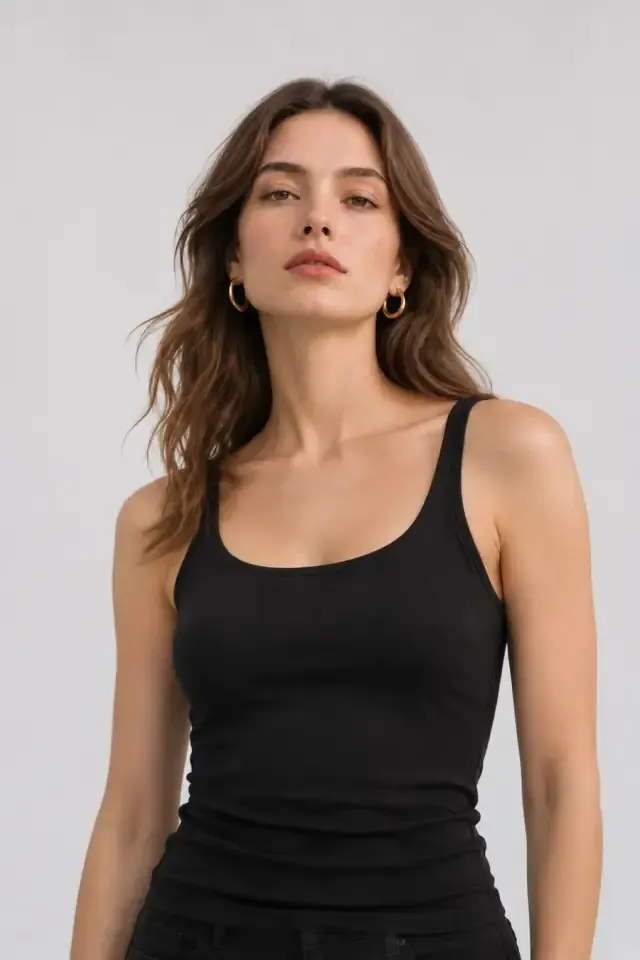
We ran three prompts on the same front-facing portrait on 27 Nov 2026, using Tavlum's Free Edit with a short text description and no reference image. Each run used 1 credit.
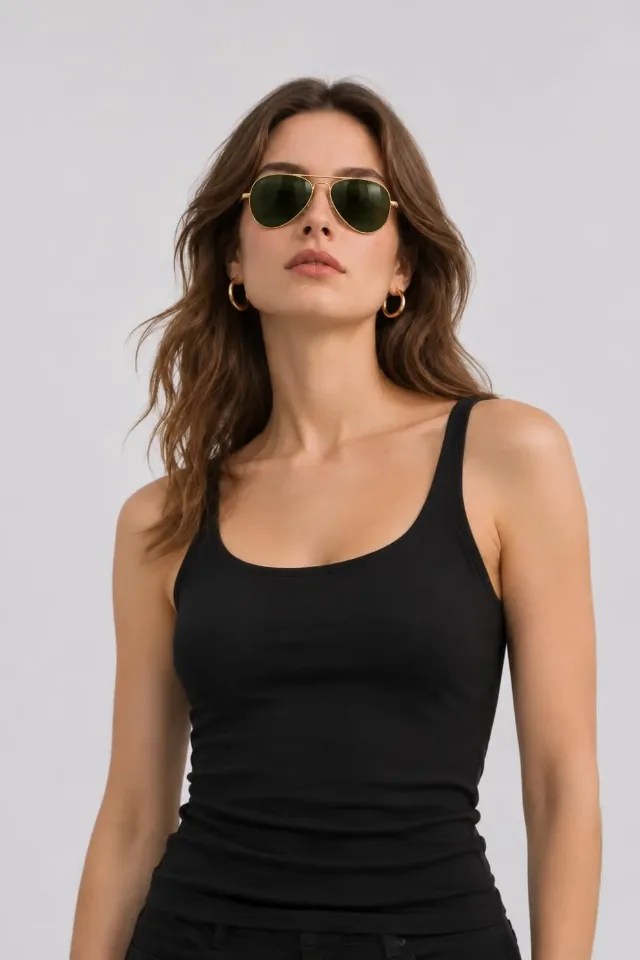
- Aviator: gold metal aviators with dark green lenses.
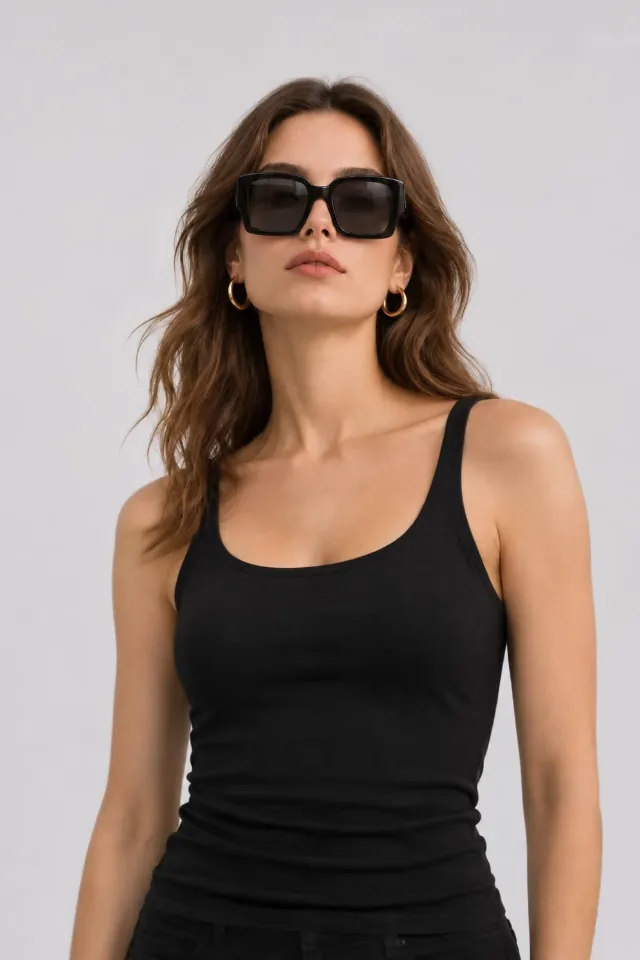
- Oversized square: black acetate square frames with dark grey lenses.
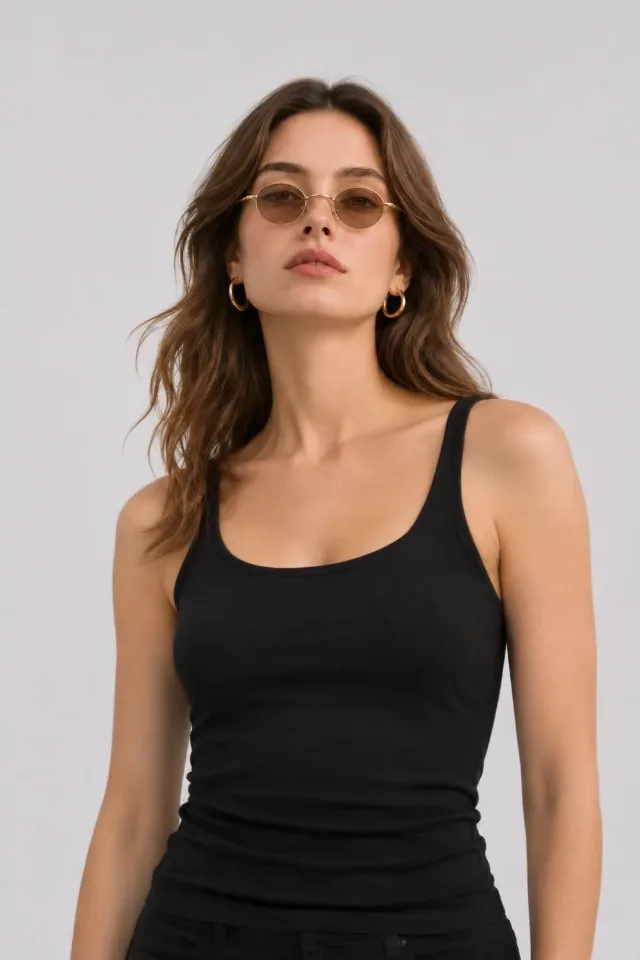
- Small round: thin gold round frames with light brown tinted lenses.
In all three results her face, skin, expression, pose and the grey background stayed close to the original. Each pair sat level across the eyes and on the bridge of the nose, and her hair, earrings and clothes stayed close to the original. The oversized frames covered the most of the face and made the biggest change. The small round pair was the lightest look. Lens tint and reflections are drawn by the AI, so the exact lens colour is an estimate. Each result above sits next to its original photo, so you can compare the details for yourself before trying your own.
How to do it with your own photo
- Upload a clear, front-facing photo. Face the camera in soft, even light, with your face, hairline and shoulders visible. A plain wall behind you keeps edges clean.
- Describe the change. Say the frame shape, material and lens colour, for example "gold metal aviators with green lenses". If you are comparing a specific pair, add a straight-on product photo instead.
- Add a reference photo if you have one. A product or inspiration photo helps the AI match a specific item. Make sure you have the right to use it.
- Generate and compare. Drag the slider over the result to see exactly what changed. Change one detail at a time and generate again, so you can see what each choice does.
- Save the ones you like. Keep your favourite results side by side in your history and use them to decide what to buy, book or try in person.
Getting a realistic result
- Keep your face straight to the camera. A tilted head or strong side angle makes the result less even.
- Use soft daylight. Harsh shadows and backlight hide edges and change colours.
- Pull hair away from the area you are changing, unless the change is the hair itself.
- Avoid busy backgrounds. Thin edges stay crisp against a plain wall.
- Repeat the run. Two runs with the same description can differ a little, so generate again if one detail looks off.
Choosing the right size
Frame size matters as much as shape. A frame that is about as wide as the widest part of your face usually looks balanced, while a frame that is much narrower can make the face look wider. The top of the frame should sit close to the line of your eyebrows.
Most frames have three numbers printed inside, for example 52-18-140: the lens width, the bridge width and the arm length in millimetres. Compare them with a pair that already fits you. If you need prescription lenses, also check your pupillary distance with your optician before you order, and choose a shop that allows easy returns.
Sunglasses shapes worth comparing
- Aviator: A classic teardrop shape that suits many faces.
- Oversized square: Bold and glamorous, and gives the most coverage.
- Round: Small and retro, best with a light, thin frame.
- Cat-eye: Lifts the outer corners and adds shape.
- Sport wrap: Curved frames for running, cycling and the beach.
Who this helps
- People buying sunglasses online who want to narrow down shapes.
- Anyone comparing lens colours on the same frame.
- Shoppers planning a holiday wardrobe.
- Eyewear shops showing customers a few options.
What a preview can and cannot do
An AI preview redraws part of your photo. It is meant to keep everything else the same, but small details near the change, such as stray hairs, jewellery or the edge of clothing, can shift a little. It does not measure you, so it cannot tell you about size, fit or comfort. Use it to compare looks and narrow down choices, then check the real thing. If a result looks wrong, generate again or change one word in your description; failed generations are refunded automatically.
Check the real thing before you buy
A preview shows the style and colour of the frame on your face. It does not measure your face or test the lenses. Check the lens, bridge and arm measurements against a pair that fits you, and make sure the lenses offer the UV protection you need. Choose a shop with an easy return policy when you can.
AI previews are illustrative and may alter small details. They do not determine size or fit.